Getting started
Astro Cut is a video editor with an assistant built in. You give it footage or an idea, say what you want in plain words, and watch the edit happen on the timeline.
What you need
- A computer running Windows or macOS.
- A browser: Chrome or Edge works best.
- For AI help, one of these:
- Claude Code, Codex or Hermes on a plan you already pay for, or
- Astro credits.
You can cut, caption and export with no AI at all.
Your first video
- Open Astro Cut and sign in.
- Press New project.
- Drop a video file onto the page, or press Upload.
- Open the Assistant panel on the right.
- Type what you want. For example: Cut the silences, add captions and make it 9:16.
- Watch the timeline change. Press Undo if you do not like a step.
- Press Export when it looks right.
Point at what you want changed
You can show the assistant exactly which thing you mean.
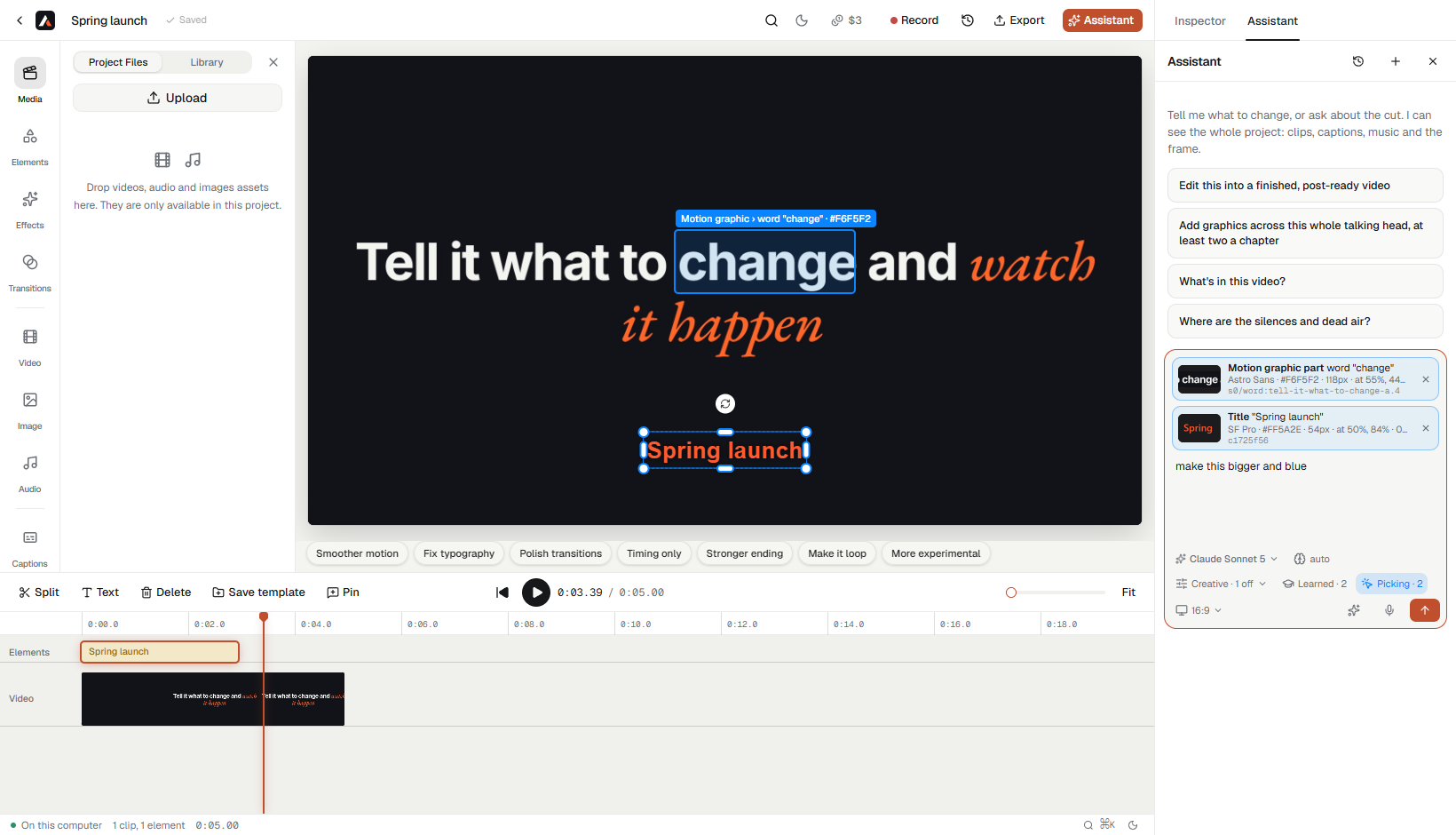
- In the chat box, press Pick. It turns blue while picking is on.
- Move over the preview. Whatever is under the cursor gets an outline and a name, such as Title · Anton · #FF4D17, Logo or Motion graphic › word "planning".
- Click it. It appears in the chat box as a chip with a small picture, its type, its properties and its id.
- Type the change, for example make this bigger and blue, and send.
| You want to | Do this |
|---|---|
| Pick more than one thing | Hold Shift and click each one |
| Take a chip away | Press the × on it |
| Pick a transition or an animation | Move the playhead onto it; it shows as a pill at the top of the preview |
| Stop picking | Press Pick again, or Esc |
You can pick titles, captions and single caption words, the logo, images, shapes, stickers, clips, b-roll, and each word or shape inside a motion graphic.
Choosing who does the AI work
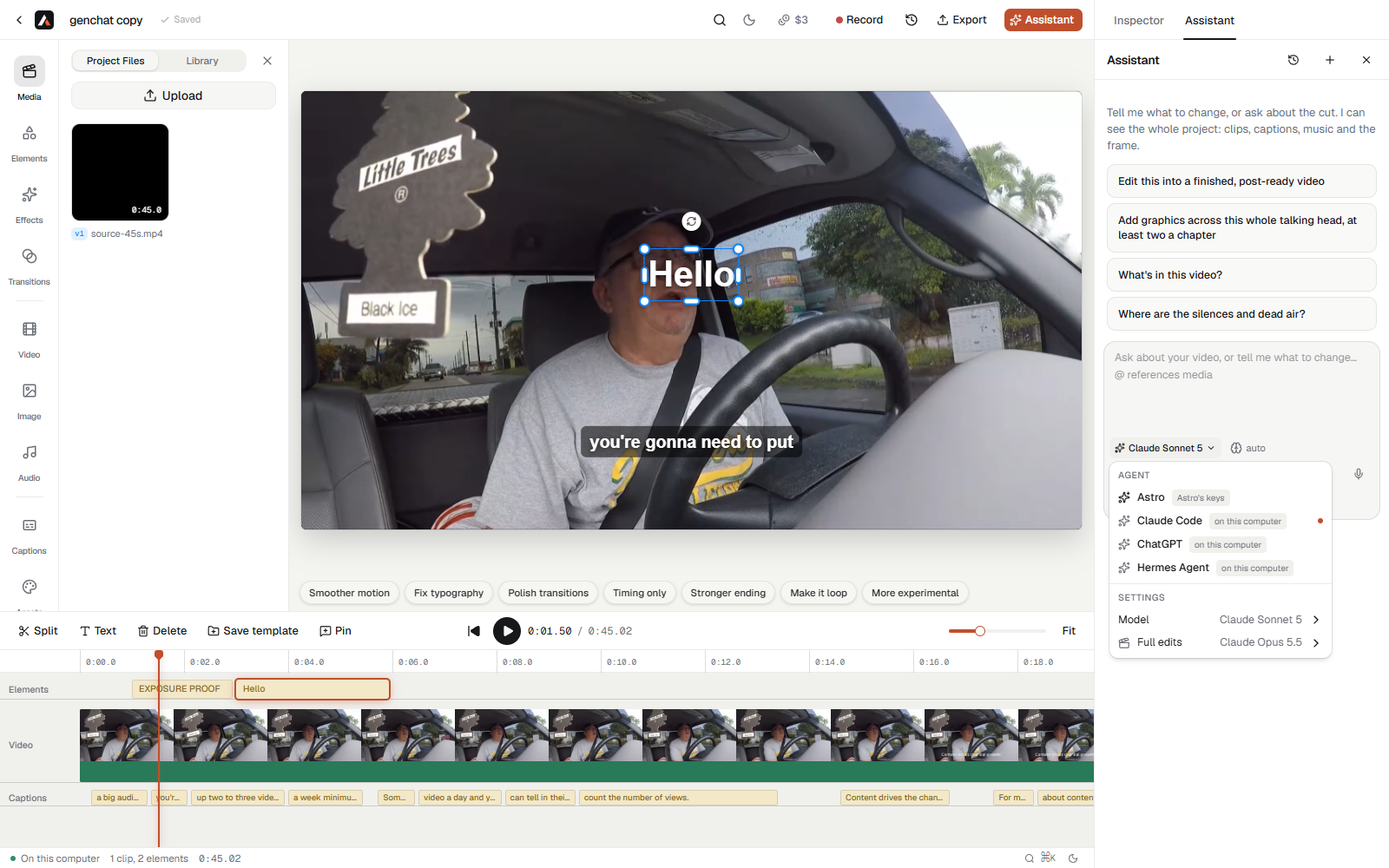
The menu at the bottom of the Assistant panel lists the agents.
| Agent | Runs on | What you pay |
|---|---|---|
| Astro | Astro's own keys | Astro credits |
| Claude Code | This computer, your Claude plan | Nothing extra |
| Codex | This computer, your ChatGPT plan | Nothing extra |
| Hermes Agent | This computer, your Hermes setup | Nothing extra |
Pick Astro and there is nothing to set up. Pick one of the others and Astro uses the plan you already have.
Things Astro can make
The left side of the home page has a Create list:
- Launch Video: a short film for a product, from its website.
- Product Demo: a walkthrough built from your screenshots or a recording.
- Explainer: a topic turned into a narrated video.
- Article to Video: a web article turned into a video.
- One-Take Video: a single recording cleaned up and finished.
- Faceless Video: narration over pictures and footage, with nobody on camera.
Where your work is kept
A project lives in one of three places. You choose when you make it.
| Place | Good for |
|---|---|
| On this computer | Large files and fast exports. Needs the Astro app running. |
| In this browser | Trying things out with nothing installed. |
| In the cloud | Opening the same project from another computer. |