Troubleshooting
Astro checks this computer by itself: when it starts, and before an export, a render and captions. While everything works you see nothing. When a check fails, one small banner names what is broken and what it stops, with a Fix button.
The full list of checks
- Open Settings, then Help & support.
- Open Troubleshooting.
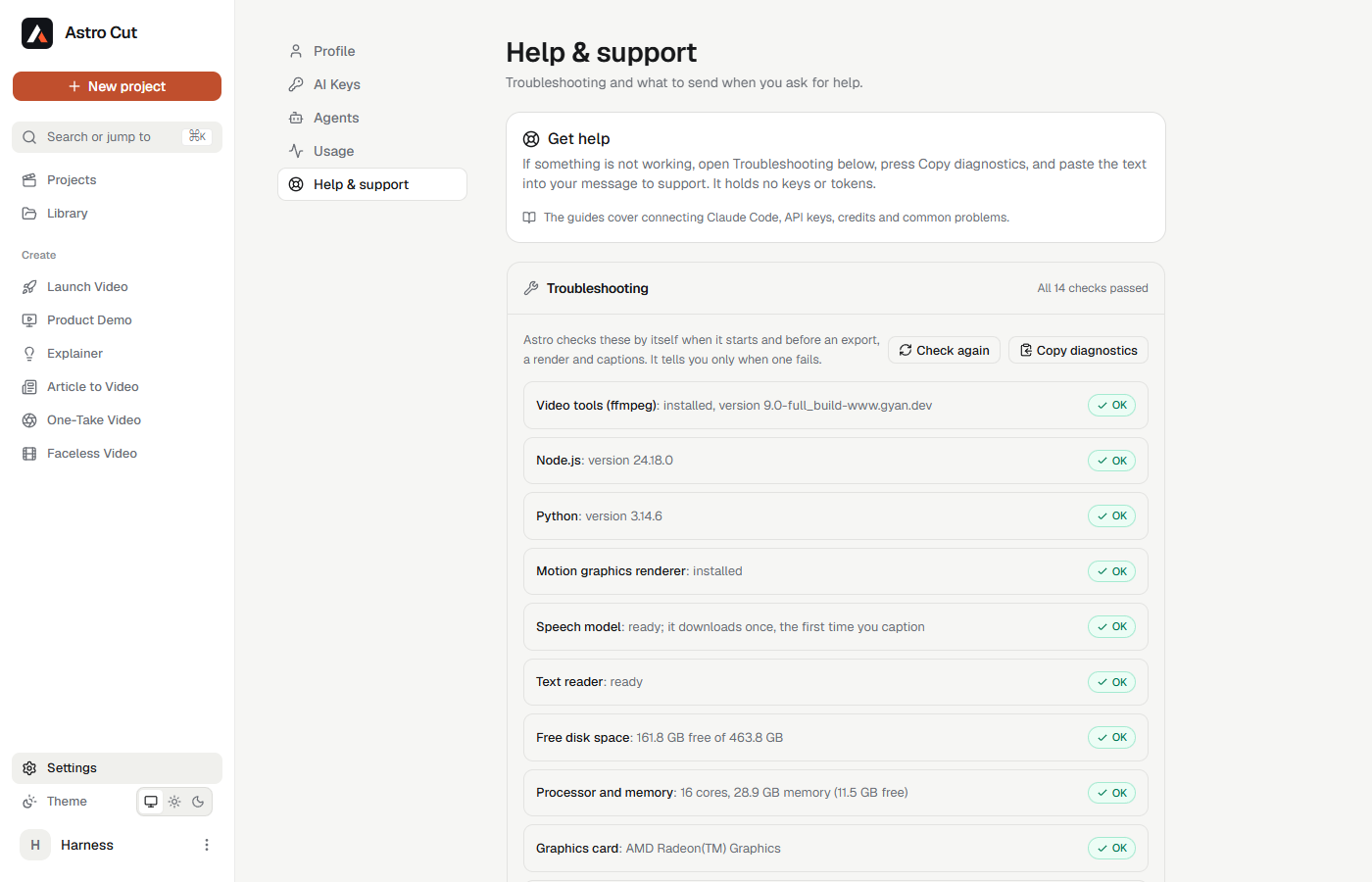
Each line says what was checked and what was found. Check again runs every check now.
| Check | What it is for |
|---|---|
| Video tools (ffmpeg) | Exports and frame previews |
| Node.js | Motion graphics, background captions, reading on-screen text |
| Python | Extra video tools. Optional. |
| Motion graphics renderer | Animated titles and graphics |
| Speech model | Captions. It downloads once, the first time you caption. |
| Text reader | Reading text in a picture. Its model downloads once, the first time text is read. Optional. |
| Free disk space | Exports and renders |
| Processor and memory | Render speed |
| Graphics card | Faster previews when one is found |
| Claude Code connection | Whether Claude Code can reach Astro. Optional. |
| Claude Code, Codex, Hermes Agent | Whether each agent is installed and signed in. Optional. |
A check marked optional is something you may not use. It is never a fault.
Asking for help
- Open Troubleshooting.
- Press Copy diagnostics.
- Paste the text into your message to support.
The text lists each check and its result. It holds no keys and no tokens.
Common problems
"ECONNREFUSED" or "Astro isn't running on this computer"
An agent tried to reach Astro and nothing answered.
- Open the Astro app and wait for it to finish starting.
- Try the request again.
"/plugin isn't available"
Your Claude Code has no plugin command. Connect with one command instead:
claude mcp add --transport http astro http://127.0.0.1:41417/api/cut/mcp --header "Authorization: Bearer astro_YOUR_TOKEN"
"Token not recognised"
The token is mistyped, or it belongs to another account.
- Open Settings, then Connect agents.
- Press Create token and copy the new one.
- Give the new token to your agent.
"This token was revoked"
Someone pressed Revoke on that token. Create a new one.
"Astro Cut has no agent token yet"
The plugin was installed with no token. Run /plugin configure astro-cut@astro-cut in Claude Code and paste your token, then restart Claude Code.
Captions do not appear
- The first time you caption, the speech model downloads. Wait for the progress to finish.
- Open Troubleshooting and look at Speech model.
An export fails
- Open Troubleshooting and look at Video tools (ffmpeg) and Free disk space.
- Free up space on the drive Astro saves to, then export again.
"Only … of memory is free"
Astro refused a heavy job because the computer is nearly out of memory. Close other apps and browser tabs, then try again.
"You have reached today's limit for the Astro agent"
The daily limit for the Astro agent was reached. It resets at midnight UTC. Your own Claude Code, Codex or Hermes keep working. See Astro credits and usage.
"Reading on-screen text needs the Astro app on this computer"
The project lives in the browser or the cloud and the Astro app is closed. Open the Astro app, or open the project on this computer.
For developers: a different address
Astro listens at http://127.0.0.1:41417/api/cut/mcp. A developer running Astro on another port sets the ASTRO_MCP_URL environment variable to that address before starting the agent. Nobody else needs this setting.